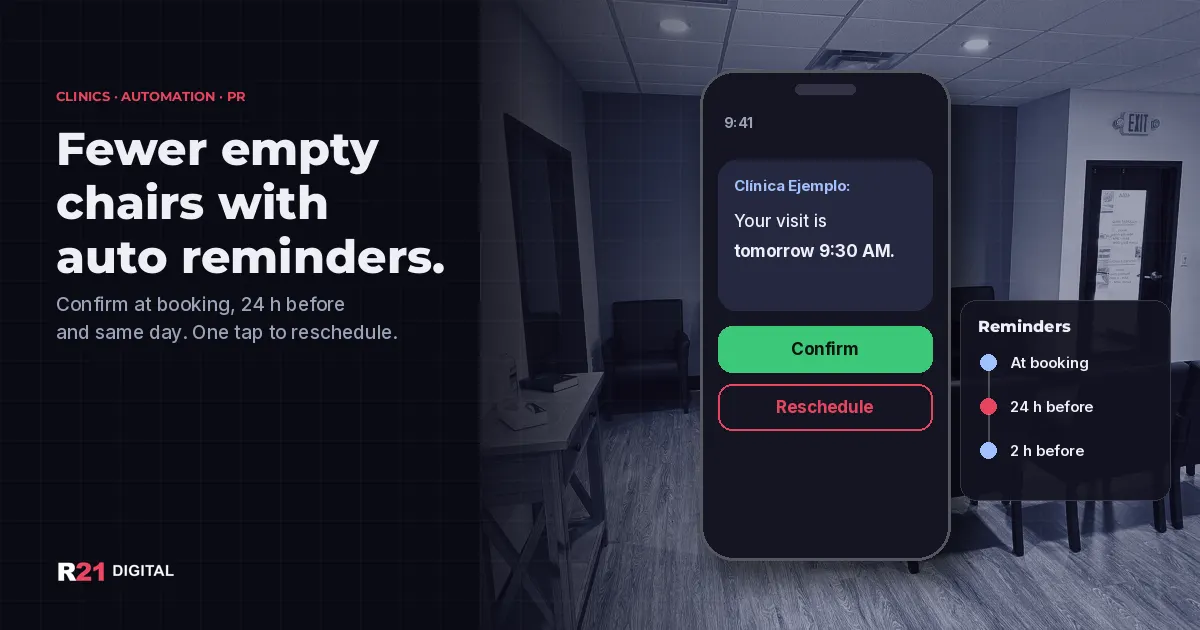
Short answer: automated reminders are one of the cheapest ways to cut missed appointments at a clinic. Send a confirmation when the visit is booked, a reminder about 24 hours before with a one-tap confirm or reschedule option, and a short same-day reminder. Research shows text reminders raise attendance, and in the U.S. they do not need a separate HIPAA authorization.
Want reminders running at your practice without changing your whole system? Book a call with R21 Digital or call +1 224-256-7011.
Do automated reminders really reduce no-shows?
Yes, and there is solid evidence behind it. A Cochrane systematic review of randomized trials found that text message reminders improved attendance compared with no reminders. In the pooled trials, attendance was 67.8% with no reminder and 78.6% with text reminders. Text reminders worked about as well as phone call reminders, and two of the studies found the cost per attended visit was 55% and 65% lower than with calls (PubMed abstract).
The authors rate the evidence as low to moderate quality, so treat those numbers as a direction, not a promise for your clinic. Still, the takeaway for a small practice in Bayamón or Ponce is simple: a reminder your front desk does not have to dial by hand is about as effective as a call, and it frees hours every week.
Every empty slot also has a hidden cost: a patient who needed care waited longer, and someone on your waitlist could have taken that time.
Which reminder channel works best for your patients?
There is no single best channel. The right one is the one each patient actually reads.
- Text message (SMS): reaches almost any phone, including older patients without apps. Good for the 24-hour and same-day reminders.
- WhatsApp: many patients in Puerto Rico already message offices there. Use the WhatsApp Business tools, not a personal number, and see our guide to WhatsApp automation without annoying people.
- Email: best for longer prep instructions, forms or directions to parking.
- Automated voice call: helpful for patients who do not text, but harder to confirm with one tap.
Add one question to your intake form: "How do you prefer we remind you: text, WhatsApp or email?" Then store the answer in your scheduling system so the right channel fires automatically.
When should reminders go out?
A simple schedule that many practices use:
- At booking: confirmation with date, time, address and how to reschedule.
- 3 days before (only if needed): prep instructions, such as fasting, bringing lab results or arriving early to fill out forms.
- About 24 hours before: reminder with "Confirm" and "Reschedule" options. This is the one that frees slots in time to refill them.
- About 2 hours before: short same-day nudge with the address or a map link.
If a patient taps "Reschedule", send them straight to your booking link or have the system alert the front desk. If you compare scheduling tools, our post on the best appointment booking tools for clinics and salons covers which ones include built-in reminders.
What can a reminder say without exposing patient privacy?
The U.S. Department of Health and Human Services says appointment reminders are part of treatment and can be sent without a separate authorization under the HIPAA Privacy Rule. HHS also advises limiting what you leave in a message, for example your name, number and what is needed to confirm the visit, and accommodating reasonable requests to be contacted another way.
In practice:
- Include the clinic name, date, time, address and a confirm or reschedule option.
- Leave out diagnoses, procedure names and test results.
- If a patient asked not to receive texts at home or on a shared phone, respect it.
- Let patients reply to stop messages, and keep a record of their channel choice.
A safe example: "Hi, this is Clínica Ejemplo. Reminder: your appointment is tomorrow at 9:30 AM. Reply 1 to confirm or 2 to reschedule." This is general guidance, not legal advice; check with your compliance advisor and your software vendor's agreement.
How do you set up reminders without changing your whole system?
- Check what you already pay for. Many scheduling and electronic records systems already include reminders that are simply turned off.
- Clean your phone list. Save numbers with the full format (+1 787 or +1 939) and remove duplicates.
- Write the messages in Spanish and English and let patients choose. Keep each one under two short sentences.
- Turn on two-way replies so confirmations and reschedules update the calendar or alert the front desk.
- Connect a waitlist. When someone cancels the day before, offer the slot to the next patient automatically.
- Measure your no-show rate for four weeks before and after. If it does not move, review timing and channel first.
If your clinic also loses new leads before they ever book, the same workflow logic applies. See stop losing leads with automated follow-up.
What mistakes make reminders backfire?
- Sending five messages for one visit. Patients mute you.
- Reminders with no way to reschedule, so patients simply do not come.
- Messages that name the treatment or specialty on a shared phone.
- Sending only in English to patients who prefer Spanish.
- Never checking if replies reach a real person.
Ready to cut no-shows at your clinic?
R21 Digital sets up appointment reminders, confirmations and waitlists for clinics in Puerto Rico and Arizona, using the tools you already have whenever possible. See our marketing automation service, call +1 224-256-7011, book a call or find R21 Digital on Google.